 Confidential
Custom CRM for Car Dealerships
Custom CRM system for car dealerships with vehicle management, document automation, and integrations with external services.
Read more →
This project involved building a custom integration module that seamlessly connected Notion with WordPress. The solution was designed to automate the publishing process: whenever a trigger was activated in Notion, the content was instantly sent to the site’s webhook, and a new post was automatically created in WordPress.
One of the key aspects was the parsing of Notion blocks, ensuring that formatting, structure, and different types of content were preserved during the transfer. Additionally, I implemented a dynamic category management system: if a new category appeared in Notion, it was automatically created on WordPress; if the category already existed, the post was linked correctly.
The automation brought significant efficiency to the company’s workflow. Previously, copywriters had to manually copy and format articles from Notion to WordPress, which was time-consuming and error-prone. With the new module, the process became fully automated, saving hours of manual work every week, reducing mistakes, and allowing the content team to focus entirely on writing high-quality articles instead of handling routine publishing tasks.
The completed integration transformed a repetitive manual publishing workflow into a structured and automated process. Content prepared in Notion could be transferred to WordPress with its original structure, formatting, and category information, significantly reducing the number of actions required from the editorial team.
The solution delivered several practical benefits:
Reduced publishing time by eliminating manual content copying, formatting, post creation, and category assignment.
Fewer human errors through consistent automated processing of article content and metadata.
Preserved content structure through custom parsing and transformation of Notion blocks.
Consistent category management through automatic category lookup, creation, and assignment in WordPress.
Improved editorial productivity by allowing copywriters and content managers to focus on writing and reviewing articles instead of routine publishing tasks.
A scalable integration foundation that can be extended with additional metadata, media processing, post updates, and new synchronization rules.
The project demonstrates how a focused system integration can improve an existing business workflow without requiring the content team to replace its preferred tools. Notion remained the primary environment for preparing and reviewing articles, while WordPress continued to serve as the website’s publishing and content management system.
By connecting both platforms through webhooks, APIs, block parsing, and automated taxonomy management, the module created a reliable publishing pipeline and replaced a time-consuming manual process with a consistent technical solution.
The project also provided practical experience with third-party API integration, webhook processing, recursive data parsing, HTML generation, WordPress backend development, taxonomy management, and content workflow automation.
Discover more projects that showcase different technologies and business challenges.
Confidential
Custom CRM system for car dealerships with vehicle management, document automation, and integrations with external services.
Read more →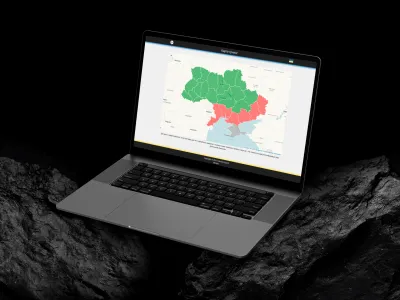
An interactive React-based mini-website featuring an air raid alert map, military loss statistics, and a small casual game. The project uses Redux for state management, Axios for API requests, and SCSS for responsive interface styling.
Read more → Confidential
A Google Ads-integrated keyword research platform with automated collection, task management, email reports, and Excel and CSV exports.
Read more →Have a similar idea in mind? Let’s turn it into reality.